What is an AI Agentic Workforce?
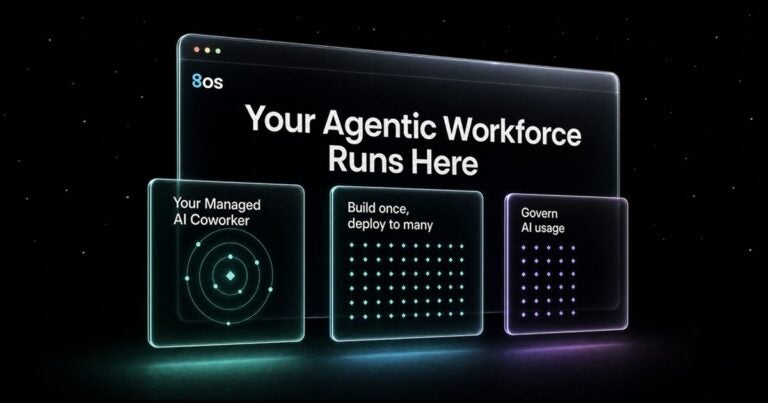
An AI agent workforce is a team of diverse AI coworkers and agents that complete real business work alongside people. People set the goals and the rules, and the AI workforce carries out the steps in between.
A traditional chatbot or AI assistant answers a question and leaves the person to finish the job. A managed AI coworker like 8bot can comprehend a request, reach business information and use the apps a business already runs. Then it carries the workflow through to the outcome.
Picture an HVAC company that just signed a commercial maintenance contract. A managed AI coworker pulls the site details from the signed contract and adds the client to the customer relationship management (CRM) software. It drafts a welcome email with the first visit window and a short list of what the client should prepare. It also creates a visit request for the service team. Before anything goes out, it asks the service manager to approve. The manager reviews the work instead of retyping it.
An AI agent workforce needs the same structure as a human one. When the firm hires a new employee, someone decides which files they can open. Someone reviews their early work and fixes mistakes before a client sees them. And everyone knows who to call when something goes wrong.
An AI coworker needs the same level of governance, because it does the same kind of work. What can it access? Which actions need a person’s approval? Who checks its work, and who is accountable for the result? Today, most small businesses haven’t answered those questions for their AI, but with 8os, the answers become a lot clearer.
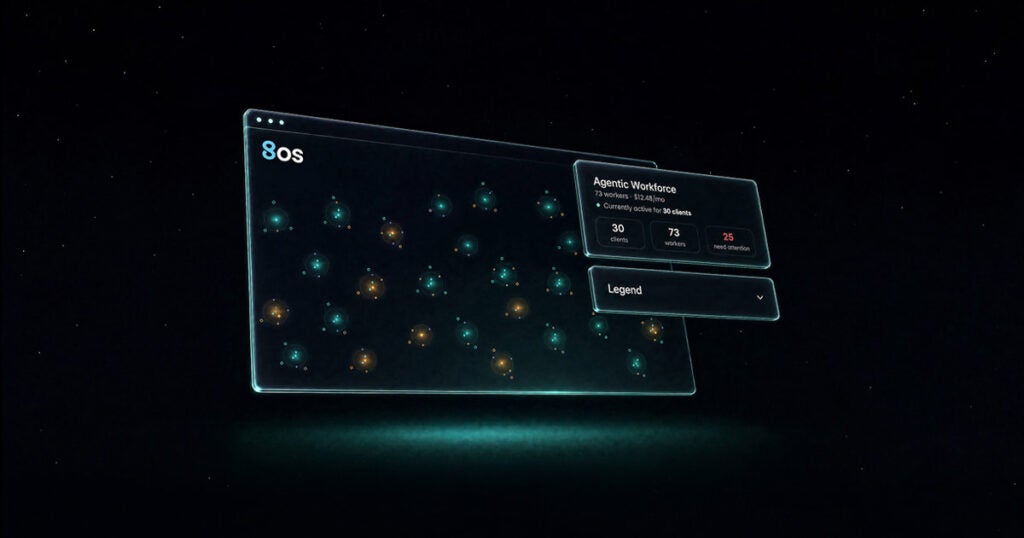
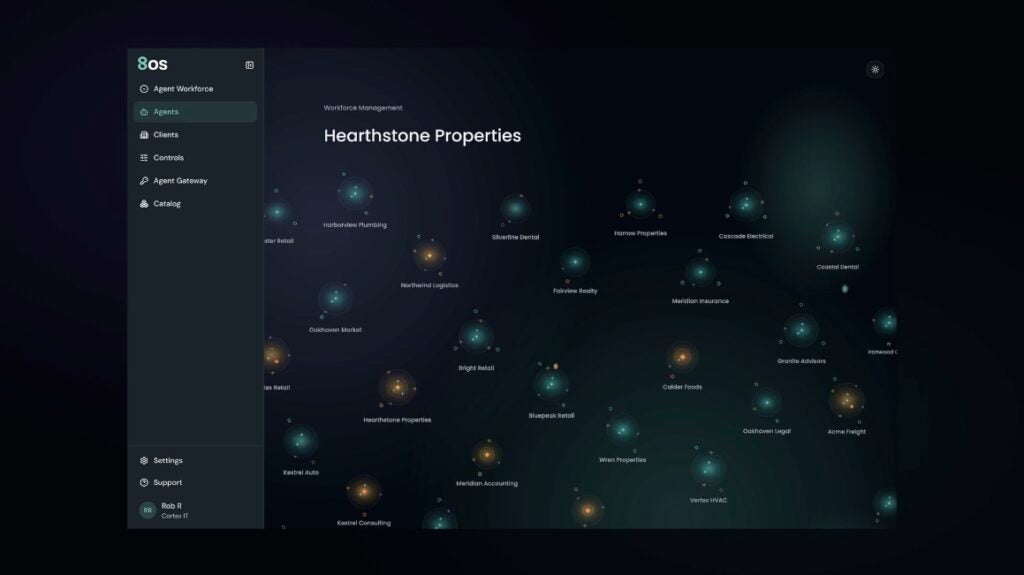
Whichever way you build, 8os brings that diverse workforce into one management layer. Every AI worker runs through the gateway in 8os, so the foundation stays the same. Credentials stay in one vault, usage is capped for each customer and charges land on one Pax8 invoice.
1. Add Capacity With 8bot Managed AI Coworkers
8bot gives each employee a dedicated managed AI coworker for the work that fills their day. Think follow-ups, research and the documents that keep a business moving. As the MSP, you deploy and manage those managed AI coworkers within 8os, across every customer you serve.
Each 8bot can:
- Remember history, preferences and task context, so employees don’t repeat themselves.
- Run on a schedule, follow up and send notifications without being asked.
- Produce real documents, files and data analysis, not just chat replies.
- Bring in specialist agents when a task needs more expertise.
- Ask for approval before sending, editing or deleting anything important.
- Work where employees already work: the Pax8 web app, Microsoft Teams and Slack.
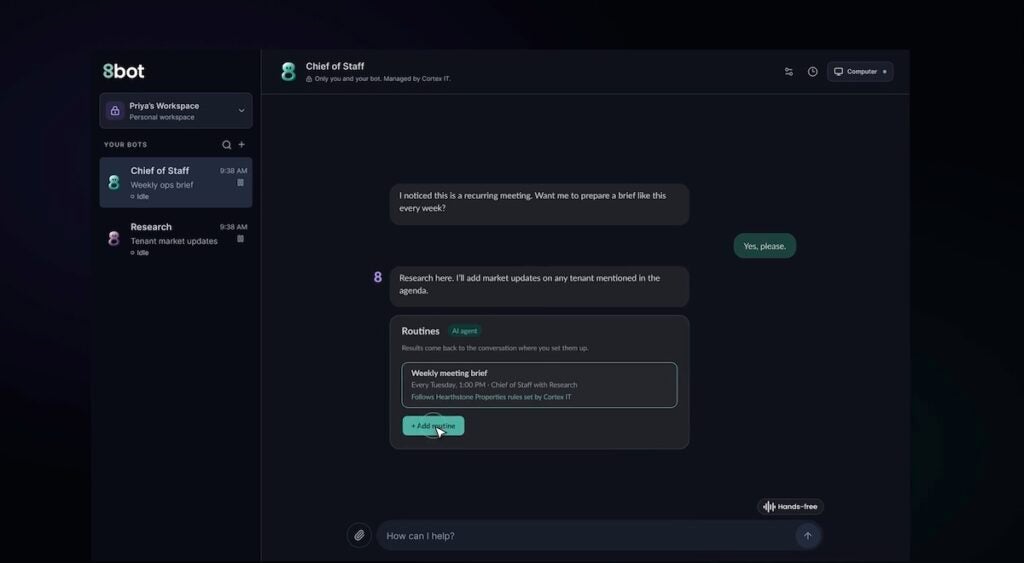
Picture an account manager at a 20-person staffing agency. Every morning, her managed AI coworker checks her sent proposals and drafts follow-ups for the ones that have gone quiet. It remembers which clients prefer a phone call and flags those instead. She reviews the drafts, approves them and gets back to her day. Follow-ups that used to slip now go out on time.
For the small business, a managed AI coworker adds capacity without adding payroll. They also get peace of mind, because the MSP they already trust manages it for them. For MSPs, it’s a recurring managed AI service. Because 8bot comes ready to use, you can deploy it in minutes instead of building a custom solution. In 8os, you assign managed AI coworkers to users, track usage and spend by customer and set spending caps.
When To Use 8bot
Start here when your team or a customer is stretched thin by admin work, with no single process to automate. 8bot is also an easy way to begin with your own staff. Use it in your business first, then show customers the results. One managed AI coworker can show value quickly, then expand to more of the team.
2. Solve Repeat Problems with Purpose-Built Agents
Purpose-built agents handle one specific job the same way every time. Think invoice matching, employee onboarding or support ticket triage. You build the purpose-built agents in 8os, from scratch and deploy to your client.
The real value shows up with your second customer. Once a specialist agent works for a client, you can save its setup as a template for the next. When another customer runs the same process, you adapt that specialist agent instead of starting over. The second deployment starts from what already works.
Here’s how that looks in practice. Say three of your customers are building-supply distributors. Each one spends hours a week matching supplier invoices to purchase orders.
You build an agent for the first distributor that flags any invoice that doesn’t match. Now a person only reviews the exceptions. You save the agent as a template. For the next two customers, you adjust it for their systems and approval steps. Each customer’s data stays separate the whole time.
For the customer, a recurring problem gets automated with ease. For you, it becomes a repeatable service instead of a custom project. And every customer you serve makes the next deployment easier.
When to Use a Purpose-Built Agent
Start here when you spot one recurring manual process, in your own business or a customer’s. Look for work that follows clear steps, happens often and has exceptions a person should review. Invoice matching, onboarding checklists and ticket routing are good places to look. Prove it works there, then bring it to similar customers, such as others in the same industry.
3. Govern the AI Already in Use with the Agent Gateway
Many customers already have AI doing real work. A sales rep connects an AI assistant to the CRM. Someone in finance builds an agent using a personal API key. Marketing pays for another AI tool on a company card.
Each choice made sense at the time. Now nobody knows which tools can reach customer data, who holds the keys or what it all costs. That pattern is common. Two-thirds of AI-engaged small businesses have built AI solutions now in regular use.
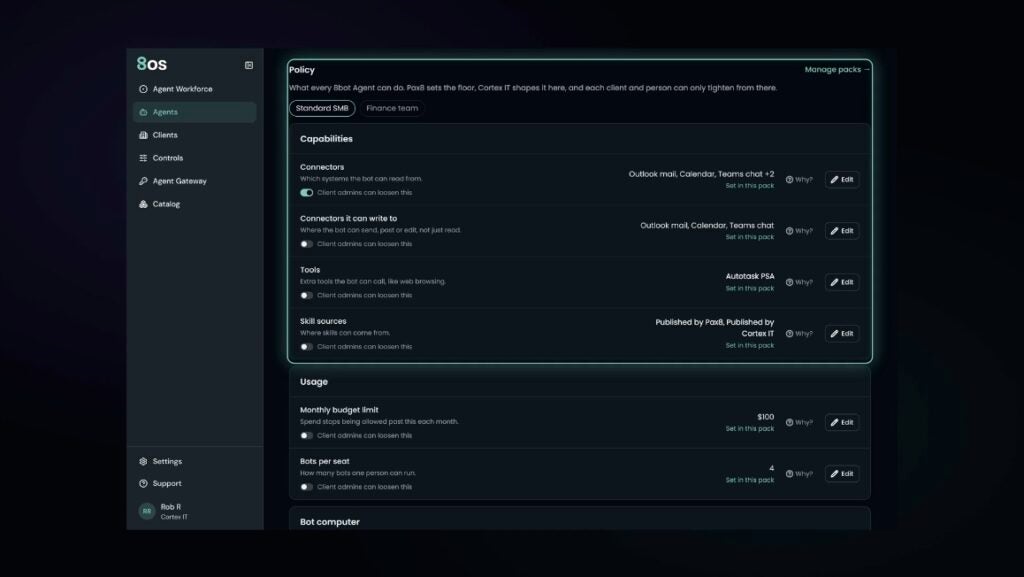
You don’t have to replace any of it. Connect those agents to 8os, and the gateway puts you in control of how they reach AI models. From there, you can:
- Keep every credential in one vault, so the AI worker makes the call but never sees the key
- Give agents one connection to both frontier and open-source models
- Meter usage for each customer and set caps before costs run over
Picture a 40-person marketing agency. Its content team runs an agent on one model, and its analysts use another. The API keys live in a shared spreadsheet. You register both agents in 8os and move the keys into the vault. Now each agent calls its model through the gateway, and spending stops at the small business cap. If a key is ever exposed, you revoke it in one click.
For the small business, the AI they already rely on is finally overseen by someone they trust. For you, the AI questions customers already bring you become paid, managed work. And because the gateway runs underneath everything in 8os, any AI you add later follows the same controls.
How 8os Runs Your Entire Agent Workforce
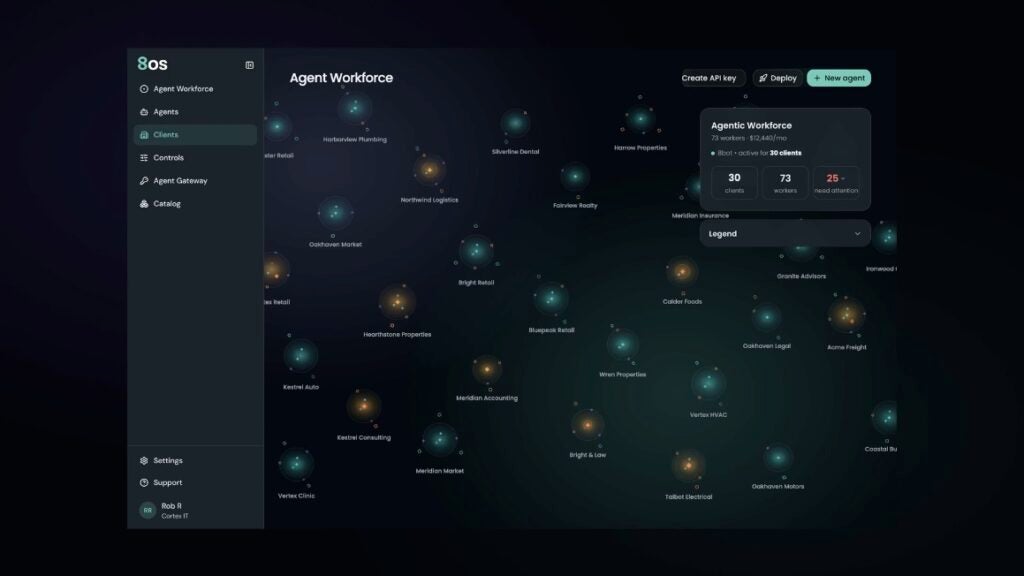
The future of AI won’t belong to one provider. Your customers will likely use agents, models and tools from other partners and major providers. 8os is designed to bring them together through rather than replacing them. As new sources of intelligence arrive, 8os gives you one consistent way to manage, govern and monetize them
Most agent platforms were designed for one company running its own AI. 8os was designed to run AI across many separate customers at once. It sits on the Pax8 ecosystem you already use, so your customers, accounts and permissions are ready from day one. From there, 8os rests on three promises.
One Governed Agentic Workforce
No matter how diverse the workforce gets, every AI worker shows up in one place. That includes 8bot managed AI coworkers, purpose-built agents and tools the customer already had. You manage access, set usage limits and see when an AI worker needs attention. Each customer stays separate, so one customer’s keys, usage and spend never mix with another’s.
Compounding Intelligence
Managed AI coworkers keep the memory, preferences and business knowledge they build inside each customer. That makes them more useful the longer they run. Across customers, what you build once becomes a template for the next. Your expertise grows with every deployment instead of resetting.
Predictable Economics
8os ties usage and cost to each customer and each AI worker. You set budgets and caps for each customer, so a busy month doesn’t turn into a surprise bill. You set your own pricing, and charges land on your existing Pax8 invoice.